

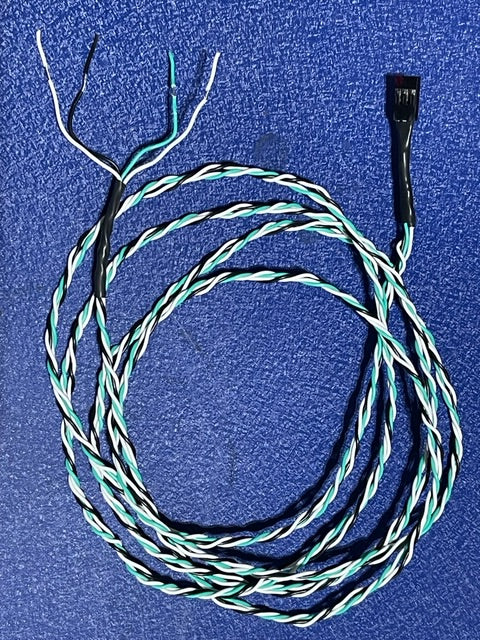
Vendor:AdorStore Automatic Chicken Door
WiFi Cable for ADOR1 & ADOR2 Grove Test
Connect your ADOR1 or ADOR2 to a compatible dual-relay WiFi switch for remote control through the switch’s smartphone app.
✓ Compatible with ADOR1 & ADOR2
✓ Enables Automatic / Manual Switching
✓ Enables Manual Open / Close Control
✓ Connects to a Compatible Dual-Relay WiFi Switch
Important: This product includes the WiFi interface cable only. The dual-relay WiFi switch and its power supply are purchased separately.
What Else Do I Need?
This product includes the ADOR WiFi Cable only.
To complete the setup, you will also need a compatible two-channel (double-relay) WiFi switch board and a 5V power supply for the relay board.
These components are not included and must be purchased separately. Compatible WiFi relay boards and 5V power supplies can typically be found on Amazon.
The smartphone app used to control the relays comes with the WiFi relay board.
Compatibility
The ADOR WiFi Cable is designed for use with the ADOR1 and ADOR2 automatic doors.
The cable connects to the 6-pin connector along the top edge of the ADOR control board using pins 1, 2, and 3.
Installation & Wiring
Plug the WiFi Cable into the 6-pin connector located along the top edge of the ADOR control board.
Remove the jumper from pins 1 and 2. You can place the jumper sideways on pin 4 for safekeeping.
Pin 1 is closest to the white connector on the board. The WiFi Cable plug has a colored dot indicating the Pin 1 side.
Connect the wire ends to the relay screw terminals as follows:
Pin 1 — Internal Sensor
GREEN → Relay A Normally Open (N.O.)
Pin 2 — Signal Input
WHITE → Relay A Common
WHITE → Relay B Common
Pin 3 — V+
BLACK → Relay B Normally Open (N.O.)
The Normally Closed (N.C.) terminals are not used.
WiFi Relay Settings
When setting up the two relay outputs in your smartphone app:
Relay A = Automatic / Manual
Relay B = Open / Close
Relay A OFF + Relay B OFF = Manual Shut
Relay A OFF + Relay B ON = Manual Open
Relay A ON + Relay B OFF = Automatic — detects daylight and darkness
Relay A ON + Relay B ON = Do Not Use
Setting both relays to ON will not damage the ADOR, but it is equivalent to Manual Open.
Software Information
For pre-2022 ADOR software, Program #3 causes the door to respond faster to manual commands. While in Automatic mode, Program #3 will also cause the door to close earlier.
On newer ADOR software (2022), a sudden change in input causes the door to respond quickly to the selected relay state.
WiFi Cable for ADOR1 & ADOR2 Grove Test